Optimization of energy consumption for Android smartphones: tips and recommendations
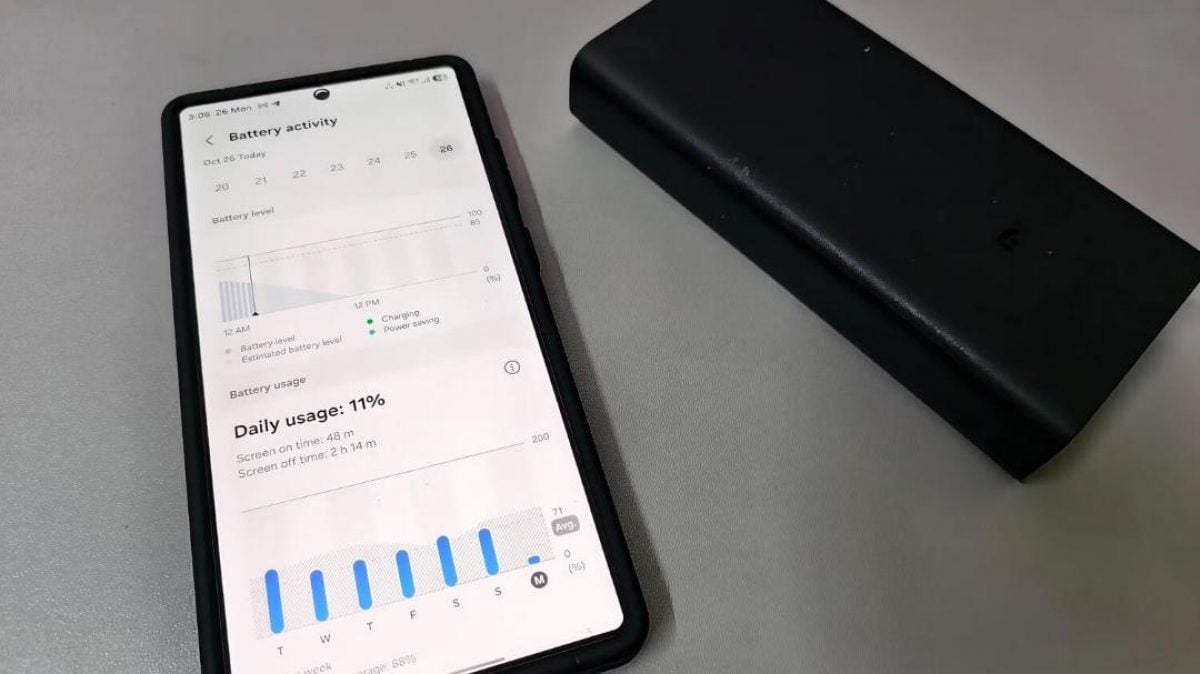
- Battery drain issues can be resolved by changing settings
- Disabling background Wi-Fi and Bluetooth scanning saves battery
- Dark mode and adaptive screen refresh rate reduce energy consumption
Optimization of energy consumption for Android smartphones
Smartphones on the Android platform may experience rapid battery drain issues, even when the device is not actively used. This can be related not only to a worn-out battery but also to background processes that continue to run even when the screen is off. For example, the author of the article on MakeUseOf noticed that his Samsung Galaxy S25 lost charge from 80% to 52% in just a few hours, despite the screen remaining off. This highlights the importance of understanding which features may consume battery.
One of the main reasons for rapid battery drain is background scanning of Wi-Fi and Bluetooth networks. Even if the user disables these modules through the quick access panel, Android continues to use them for location determination. This can lead to significant energy consumption. To disable this feature, you need to go to the location settings and turn off the options related to searching for networks and devices. This simple action can significantly reduce energy consumption.
Another factor contributing to battery drain is apps running in the background. Samsung devices have three app operation modes: "Unrestricted", "Optimized", and "Restricted". By default, most apps operate in optimized mode, allowing them to continue data synchronization. It is recommended to switch apps that do not require constant updates to restricted mode to reduce their impact on battery life.
Reasons for rapid battery drain
Additionally, unstable 5G coverage can negatively affect device runtime. When the 5G signal drops, the smartphone switches to LTE, which puts additional strain on the modem and accelerates battery drain. To avoid this, the article's author changed the network mode to LTE, which significantly reduced the number of network switches and, consequently, decreased energy consumption. This change did not affect internet speed in everyday use.
It is also worth paying attention to mobile data settings. Even when connected to Wi-Fi, a smartphone may continue to use mobile data to ensure a stable connection. For users who spend most of their time at home or in the office, this feature may be unnecessary. It can be disabled through the developer menu, which will also help save battery life.
The smartphone screen also plays an important role in energy consumption. On AMOLED displays, each pixel is lit separately, and displaying white requires more energy than black. Studies show that using a dark theme can reduce energy consumption by 3-9% at normal brightness and up to 39-47% at maximum brightness outdoors. Therefore, it is recommended to enable the dark theme in the display settings.
Recommendations for settings to save energy
The screen refresh rate also affects power consumption. Modern AMOLED panels can automatically adjust the refresh rate depending on the content on the screen. For example, during scrolling, the rate can reach 120 Hz, while displaying a static image can drop to 1 Hz. This helps save battery. It is recommended to keep adaptive mode so that the screen can adjust the refresh rate on its own.
After making all these changes, the author noticed that his smartphone now lasts significantly longer without charging. He now connects the Galaxy S25 to the charger before going to bed when the indicator shows about 25% battery left. Previously, the battery could lose almost a third of its capacity in just a few hours, even if the screen was not turned on. This highlights the importance of optimizing settings to improve the device's battery life.
It is important to note that changes do not have to be made all at once. Users can start by disabling background Wi-Fi and Bluetooth scanning, and then gradually move on to limiting app activity and optimizing network connections. This approach will help avoid abrupt changes and allow for the assessment of the effectiveness of each step.
Practical tips for Android users
You can also find tips online for speeding up smartphones, especially older models. However, it is important to remember that not all recommendations may be useful for every device. Optimizing energy consumption and performance requires an individual approach and consideration of the specific features of each model.
Android users may also want to consider alternative navigation apps that may offer more efficient solutions compared to Google Maps. Such apps often have lower resource requirements and can operate more efficiently, which can also positively impact the device's battery life.
In conclusion, optimizing energy consumption on Android smartphones is an important aspect that can significantly enhance the user experience. Simple changes in settings can lead to a noticeable increase in device runtime without charging, which is especially relevant for users who spend a lot of time away from power sources.
Source: UNIAN